Best Business & Ops Tools for Small Teams (2026)
A deep, practical guide to CRM, invoicing, project management, and customer support tools that small teams actually use in 2026.
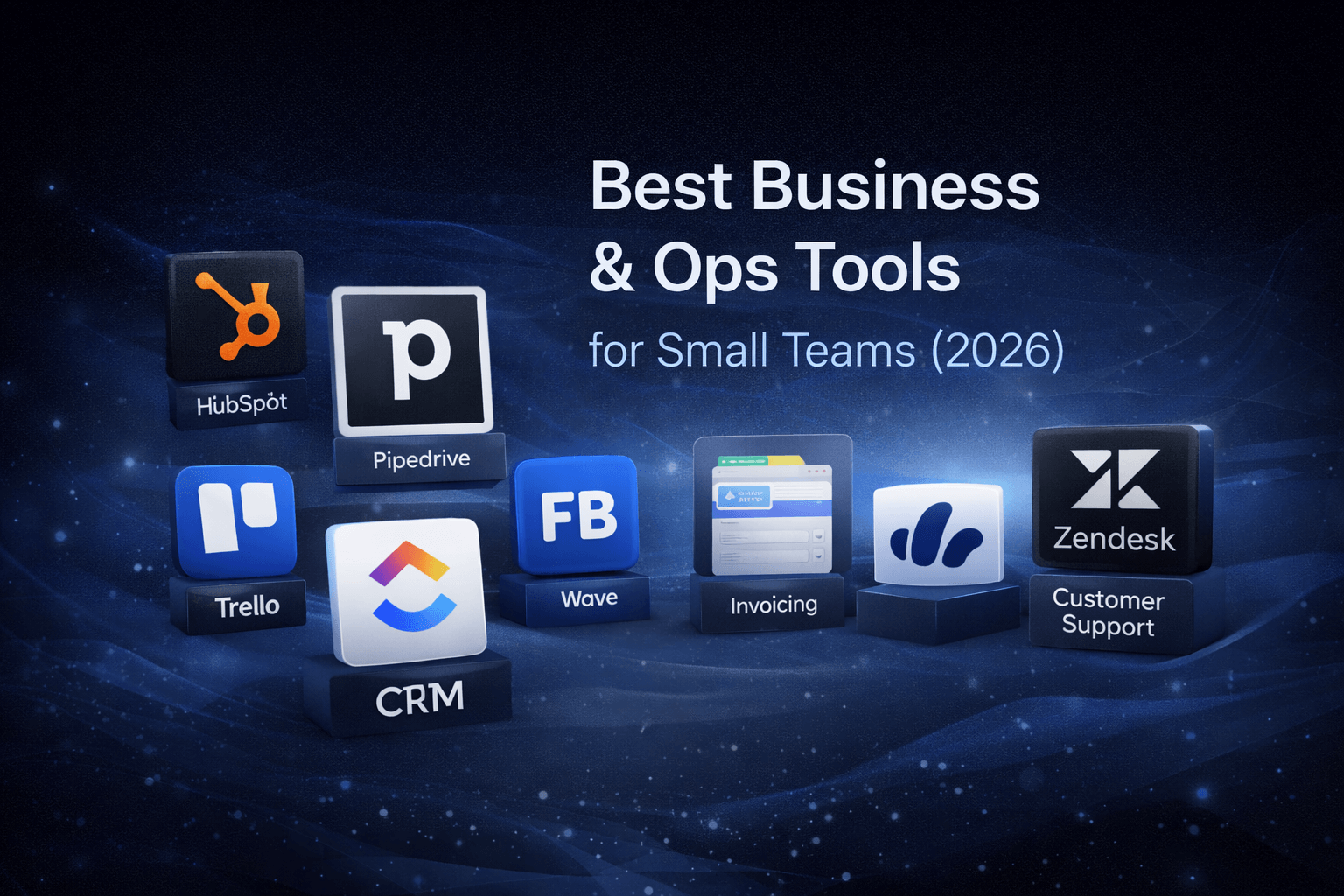
Running a small business is mostly about operations—not strategy decks or big visions, just daily work that needs to happen without breaking everything. This guide covers the best business and operations tools for small teams in 2026, including CRM, project management, invoicing, and customer support software.
Quick Verdict
For CRM: HubSpot CRM (free plan) or Pipedrive (visual sales focus)
For project management: ClickUp (all-in-one) or Trello (simple boards)
For invoicing: FreshBooks (service-based) or Wave (free option)
For customer support: Help Scout (email-first) or Zendesk (scalable)
Best Business & Ops Tools for Small Teams (2026)
- Best CRM: HubSpot CRM, Pipedrive
- Best Project Management: ClickUp, Trello
- Best Invoicing: FreshBooks, Wave
- Best Customer Support: Help Scout, Zendesk
What Are Business & Ops (Business Operations) Tools?
Business & Ops tools are the software you use to run the business day to day. They usually fall into a few clear buckets:
- CRM – managing leads, clients, and relationships
- Project management – tracking work and responsibilities
- Invoicing & finance – getting paid and staying organized
- Customer support – handling questions, issues, and feedback
Large companies use dozens of tools. Small teams usually work better with a few focused ones.
Why Small Teams Need Different Tools
Most software is built for enterprises, large teams, and complex workflows. Small teams have different needs: fewer people, less process, faster decisions, and limited time.
Good Business & Ops tools for small teams should be:
- easy to learn
- fast to set up
- flexible
- affordable
- hard to mess up
If a tool needs weeks of onboarding, it's probably not for you.
Best CRM Tools for Small Teams in 2026
CRM tools help you keep track of leads, clients, conversations, and deals. You don't need a complex sales machine—you need clarity.
1. HubSpot CRM
Best for: Small teams wanting a free, comprehensive CRM that grows with them
Not ideal for: Teams that only need basic contact management, users who want simplicity over features
HubSpot is one of the most popular CRMs for a reason. It offers contact management, deal tracking, email history, and basic automation—all with a generous free plan.
Pros:
- Generous free plan with core CRM features
- Clean, intuitive interface
- Grows with your business as you scale
- Good email integration and tracking
- Strong automation capabilities (on paid plans)
- Extensive knowledge base and support
Cons:
- Advanced features get expensive quickly
- Can feel heavy if you only need basics
- Learning curve for full feature set
- Some features require paid upgrades
When to choose HubSpot CRM: You want a free CRM that can scale as your business grows, and you're willing to invest time learning the platform.
2. Pipedrive
Best for: Sales-focused teams that want visual pipeline management
Not ideal for: Teams needing broader business management, non-sales use cases
Pipedrive is very visual and very focused. It's built around sales pipelines, not everything else.
Pros:
- Extremely easy to understand and use
- Clear, visual deal stages
- Fast daily use with minimal clicks
- Focused on sales workflow
- Good mobile apps
- Affordable pricing
Cons:
- Limited outside of sales workflows
- Not a full business platform
- Less flexible for non-sales teams
- Fewer integrations than HubSpot
When to choose Pipedrive: Your team is sales-focused and you want a tool that makes deal tracking visual and simple.
Best Project Management Tools for Small Teams in 2026
Project management tools answer one question: Who is doing what, and when? For small teams, clarity matters more than features.
3. ClickUp
Best for: Teams wanting an all-in-one workspace that replaces multiple tools
Not ideal for: Teams that prefer simplicity, users who don't want to invest in setup
ClickUp tries to be an all-in-one workspace. It includes tasks, docs, goals, time tracking, and dashboards in one platform.
Pros:
- Very flexible and customizable
- Replaces multiple tools (tasks, docs, time tracking)
- Strong customization options
- Good collaboration features
- Free tier available
- Extensive integrations
Cons:
- Can feel overwhelming with many features
- Setup takes time to configure properly
- Learning curve for new users
- Can be slow with large workspaces
When to choose ClickUp: You're willing to invest effort upfront to build a system that consolidates multiple tools into one platform.
Related: See our ClickUp vs Notion comparison for a detailed breakdown of how these tools differ. For more flexible workspace options, see our guide to Notion alternatives.
4. Trello
Best for: Teams wanting simple, visual task management with minimal setup
Not ideal for: Complex projects with dependencies, teams needing advanced reporting
Trello is simple boards and cards. That's it.
Pros:
- Very easy to learn and use
- Visual, intuitive interface
- Almost no setup required
- Free tier available
- Good for simple workflows
- Fast and lightweight
Cons:
- Limited for complex projects
- No deep reporting or analytics
- Basic automation (on free plan)
- Less structured than other tools
When to choose Trello: You just need visibility into who's doing what, not complex project control or detailed reporting.
Best Invoicing & Finance Tools for Small Teams in 2026
Getting paid is an operational task—not a finance department problem. Small teams need tools that send invoices, track payments, and look professional.
5. FreshBooks
Best for: Service-based businesses, freelancers, teams needing time tracking with invoicing
Not ideal for: Product-based businesses, teams needing full accounting features
FreshBooks is built for service-based work. It focuses on invoicing, expenses, and time tracking.
Pros:
- Very clean, intuitive interface
- Simple workflows for invoicing
- Good for freelancers and consultants
- Built-in time tracking
- Professional invoice templates
- Good mobile apps
Cons:
- Not full accounting software
- Less flexible for product-based businesses
- Pricing can add up for teams
- Limited advanced features
When to choose FreshBooks: You're service-based, need time tracking with invoicing, and want a clean, simple tool.
6. Wave
Best for: Small teams with basic invoicing needs, businesses wanting free core features
Not ideal for: Teams needing advanced features, complex accounting requirements
Wave is popular because it's free. It offers invoicing, basic accounting, and receipt management.
Pros:
- Free core features (invoicing, accounting)
- Simple setup and use
- Good for basic needs
- Receipt scanning included
- Basic reporting available
Cons:
- Fewer integrations than paid alternatives
- Limited advanced features
- Less customization options
- Support can be slower (free tier)
When to choose Wave: Your invoicing needs are basic and stable, and you want a free tool that handles the essentials.
Best Customer Support Tools for Small Teams in 2026
Customer support tools help you answer questions, track issues, and stay organized. Even small teams need structure once emails start piling up.
7. Help Scout
Best for: Small teams wanting email-first support that feels personal
Not ideal for: High-volume support, teams needing extensive live chat features
Help Scout is email-first support software. It feels like shared email, not a ticket system.
Pros:
- Personal, email-like feel
- Easy collaboration between team members
- Clean, intuitive UI
- Good knowledge base features
- Affordable for small teams
- Excellent customer service
Cons:
- Limited live chat features
- Not built for very high volume
- Fewer advanced automation options
- Less structured than enterprise tools
When to choose Help Scout: You want support software that feels like email collaboration rather than a formal ticket system.
8. Zendesk
Best for: Growing teams that need scalable support infrastructure
Not ideal for: Very small teams, businesses with minimal support needs
Zendesk is one of the oldest support platforms. It's powerful, structured, and scalable.
Pros:
- Handles large support volumes well
- Advanced workflows and automation
- Extensive integrations
- Strong reporting and analytics
- Scalable as you grow
- Enterprise-grade features
Cons:
- Expensive for small teams
- Overkill for basic support needs
- Steeper learning curve
- Can feel heavy for simple use cases
When to choose Zendesk: You're growing quickly, need advanced support features, and can justify the cost.
Most small teams only move to Zendesk after they grow beyond simpler tools.
All-in-One vs Best-of-Breed Tools
You have two main approaches:
1. All-in-One Tools
One platform that tries to do everything (like ClickUp).
Pros:
- Fewer logins and tools to manage
- Centralized data in one place
- Potentially lower total cost
Cons:
- More complex to set up and learn
- Harder to switch if you outgrow it
- May not excel at any single function
2. Best-of-Breed Tools
One tool per job (separate CRM, project management, invoicing tools).
Pros:
- Simpler, more focused tools
- More flexibility to switch individual tools
- Each tool excels at its specific function
Cons:
- More integrations to manage
- Data spread across multiple platforms
- More logins and subscriptions
Most small teams start with best-of-breed, then consolidate later as they grow and understand their needs better.
How to Choose the Right Business & Ops Tools
Ask yourself:
- What is breaking right now? – Start with the biggest pain point
- What do we do every day? – Prioritize tools for daily workflows
- What causes confusion or delays? – Look for tools that add clarity
- Will my team actually use this? – Adoption matters more than features
Avoid tools that:
- Look impressive but feel heavy
- Promise everything
- Require long setup periods
- Have steep learning curves
Good ops tools feel boring in a good way—they disappear into your workflow.
Common Mistakes Small Teams Make
- Buying too many tools – Start with one or two, not a full stack
- Choosing enterprise software too early – You'll pay for features you don't need
- Optimizing for edge cases – Focus on what you do daily, not what might happen
- Ignoring daily usability – A tool your team won't use is worthless
The best tools disappear into your workflow and make daily work easier, not harder.
Tools Summary Table
| Tool | Category | Best For | Pricing | Key Strength |
|---|---|---|---|---|
| HubSpot CRM | CRM | Growing teams | Free/Paid | Free plan, scalability |
| Pipedrive | CRM | Sales teams | Paid | Visual pipelines |
| ClickUp | Project Management | All-in-one needs | Free/Paid | Flexibility, consolidation |
| Trello | Project Management | Simple workflows | Free/Paid | Simplicity, speed |
| FreshBooks | Invoicing | Service businesses | Paid | Time tracking + invoicing |
| Wave | Invoicing | Basic needs | Free | Free core features |
| Help Scout | Support | Email-first teams | Paid | Personal feel |
| Zendesk | Support | Growing teams | Paid | Scalability, features |
Frequently Asked Questions
What are the best business tools for small teams?
The best tools depend on your needs, but most small teams use a CRM (like HubSpot CRM or Pipedrive), project management tool (like ClickUp or Trello), invoicing software (like FreshBooks or Wave), and customer support platform (like Help Scout or Zendesk).
Do small teams need all-in-one tools?
Not at first. Most small teams work better with focused, best-of-breed tools before consolidating later. All-in-one tools like ClickUp vs Notion can be powerful, but they require more setup and can feel overwhelming for simple workflows.
Are free business tools good enough?
Free tools like HubSpot CRM and Wave are often enough for early-stage teams. Many free plans cover core features like contact management, basic invoicing, and simple project tracking. You can upgrade as your needs grow.
How do I choose between all-in-one and best-of-breed tools?
Start with best-of-breed tools (one tool per job) for simplicity and flexibility. Consider consolidating to all-in-one platforms like ClickUp only after you understand your workflows and need centralized data management.
Final Thoughts
Business & Ops tools aren't about growth hacks. They're about keeping things running. If your tools reduce stress, improve clarity, and save time, then they're doing their job.
There's no single "best" tool—only tools that fit your specific workflow. Start with your biggest pain point, choose one tool, and use it consistently before adding more.
For project management: If you're deciding between ClickUp and other options, see our ClickUp vs Notion comparison for detailed insights.
For productivity tools: Browse our Stay Organized category for more comparisons and recommendations.
For AI assistance: If you need help with writing and research, check our ChatGPT alternatives for work guide.
ToolFoundry exists to help you find tools that work quietly in the background—without the noise.